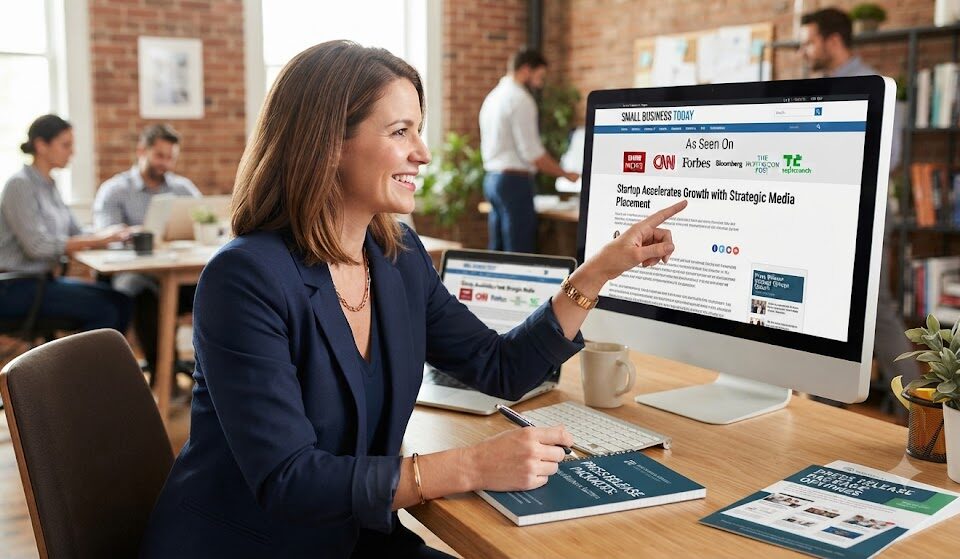

Small businesses buy PR packages to publish one press release across several recognised news and finance sites at once, then display those outlet names as an “As Seen On” strip on their website, sales pages and social profiles. The fastest route is a bundled package that places a single, well-written announcement on multiple outlets, such as AP News, USA Today, Barchart, StreetInsider and others, in one order. Done properly, you can go from no coverage to a credible “As Seen On” section in about a week. This guide gives you that week as a day-by-day plan, followed by the rules that keep your badges honest.
Why “As Seen On” Works for Small Businesses
When someone lands on a small business website, they are quietly asking: can I trust these people? Reviews help. A professional design helps. But recognisable media names answer the question faster than almost anything else. A row of familiar logos tells visitors that the business has been publicly announced on established platforms, which reduces hesitation at the moment they are deciding whether to buy, book or enquire.
For small businesses without a PR budget for agencies or retainers, a PR package is the most practical way to earn that strip. Instead of pitching journalists for weeks with no guarantee, you publish a factual announcement through placements and receive live links you can point to.
Single Placement vs PR Package
| Factor | Single Placement | PR Package |
|---|---|---|
| Number of outlets | One | Several in one order |
| “As Seen On” strip | One logo | A full row of recognisable names |
| Search footprint | One indexed page | Multiple indexed pages |
| Effort | One submission | One submission |
| Best for | Targeted, niche announcements | Building credibility quickly |
The 7-Day “As Seen On” Plan
Day 1: Choose Your News Hook
A press release needs news. Small businesses often think they have nothing to announce, but most have more than they realise. Pick one of these:
- A new product or service launch
- Opening a new location or going online
- A business anniversary
- A customer milestone, such as your 1,000th order
- A partnership with another local business or supplier
- A new hire, award or certification
- A community initiative, sponsorship or charity partnership
Goal for the day: One sentence that describes the news, such as “Maple Street Bakery opens a second location in Denver’s Highlands neighbourhood.”
Day 2: Write the Release
Keep it to 400 to 600 words. Use this simple structure:
- Headline: Business name, what happened and the benefit.
- Opening paragraph: Who, what, where, when and why it matters.
- Details: What customers can expect.
- Quote: The owner explaining why it matters.
- Background: A short history of the business.
- About: A two-sentence description, website and contact details.
Tip: Write in the third person. “Maple Street Bakery said” reads like news; “we are so excited” reads like an advert.
Day 3: Check It Against Package Rules
PR packages often have content rules. Some bundles exclude certain categories, such as crypto or financial products. Read the guidelines before ordering and make sure your release fits. Also check:
- No unverifiable claims such as “best in the city”
- No pricing or discount codes in the release body
- Links point to your official website
- Names of partners or customers are approved
Day 4: Order the Package
Choose a bundle that places your release on multiple recognised outlets in one order. For example, the Saver Combo package with AP News, Barchart, USA Today, StreetInsider, OpenPR and FinancialContent on BHMarketer.ai bundles several placements for non-crypto, non-finance businesses. Submit your release, logo and business details.
Day 5: Prepare Your “As Seen On” Section
While the release is being processed, get your website ready:
- Create a strip or section near the top of your homepage
- Prepare a simple press page to collect all the live links
- Draft social posts to announce the coverage
- Prepare an email to customers and your mailing list
Day 6: Collect the Live Links
Once the release is published, you will receive links to each live placement. Check each one: business name spelling, website link, quote and date. Save the links in a spreadsheet with the outlet name and publish date.
Day 7: Display and Share
- Add outlet names or logos to your “As Seen On” strip, linking each to the live release
- Publish your press page with every link
- Post on social media with a short story about the news
- Email customers
- Add “As featured on AP News, USA Today and more” to your email signature
Where to Use Your “As Seen On” Badges
| Location | Why It Helps |
|---|---|
| Homepage, above the fold | Builds trust before visitors scroll |
| Product or service pages | Reduces hesitation at the decision point |
| Checkout or booking page | Reassures buyers before they pay |
| Email signature | Adds credibility to every message |
| Social media bios and highlights | Signals legitimacy to new followers |
| Sales decks and proposals | Helps win B2B clients |
| Marketplace or directory profiles | Stands out against competitors |
The Honesty Rules for “As Seen On”
“As Seen On” badges are powerful because people trust them. Keep that trust by using them accurately:
- Only display outlets where your release is actually live.
- Link each logo to the published page, so visitors can check.
- Use accurate wording. “As Seen On” or “Featured On” is fine for published releases. Do not say “As reported by USA Today journalists” or imply editorial endorsement.
- Do not alter logos or imply a partnership with the outlet.
- Remove any badge if the page is ever taken down.
Which Small Businesses Benefit Most
| Business Type | Best News Hook |
|---|---|
| Local service business (plumber, salon, clinic) | New location, anniversary, community initiative |
| E-commerce brand | Product launch, customer milestone |
| Restaurant or café | Opening, new menu, local partnership |
| Consultant or agency | New service, notable client win (approved) |
| Coach or course creator | Programme launch, book release |
| Local manufacturer | Expansion, certification, hiring |
Example Release Outline: Maple Street Bakery
- Headline: “Maple Street Bakery Opens Second Location in Denver’s Highlands Neighbourhood”
- Lead: The family-owned bakery, known for sourdough and seasonal pastries, opens its second shop this Saturday, adding eight local jobs.
- Details: Opening hours, signature products, seating, weekend workshops.
- Quote: The owner on why the Highlands neighbourhood was the right fit.
- Background: Founded in 2017 in a home kitchen; first shop opened in 2019.
- About: Two sentences, website and contact.
How PR Packages Help With Google and AI Search
Each outlet in a package creates a separate indexed page mentioning your business. When people search your business name, they may find those pages alongside your website and reviews, which strengthens first impressions. AI assistants that answer “Is [business] legit?” or “What is [business] known for?” draw on consistent information across trusted sources. A clear, factual release with a consistent business description helps those answers come out right.
Making It More Than a One-Time Boost
The first package earns your “As Seen On” strip. The real value comes from repeating it. Plan two to four announcements a year, such as a launch, an anniversary, a community initiative and a year-end milestone. Each one refreshes your coverage, adds new indexed pages and keeps your press page current. Visitors who see recent dates on your press page understand that the business is active and growing.
Mistakes Small Businesses Make
- Writing a sales advert instead of a news release
- Choosing a package without reading its content rules
- Displaying logos without linking to the live pages
- Using wording that implies editorial endorsement
- Publishing once and never updating the press page
- Forgetting to share the coverage with existing customers
Building Your Press Page the Right Way
Your press page is where curious visitors, journalists and partners go to learn more. Once your PR package goes live, build a simple, well-organised press page that does three jobs: proves the coverage is real, tells your story and makes it easy for others to write about you.
- Coverage list: Each outlet name, the headline and the date, linking to the live release.
- Short company description: The same two-sentence boilerplate used in the release.
- Founder bio and photo: A short, friendly introduction.
- Logo files: Downloadable versions for partners and media.
- Contact details: An email address for press and partnership enquiries.
Update the page every time you publish a new release. A press page with recent dates shows that the business is active.
Measuring Whether Your “As Seen On” Strip Is Working
Small businesses can track the impact of their badges with simple checks:
| What to Check | How |
|---|---|
| Homepage conversion rate | Compare enquiries, bookings or sales for a month before and after adding badges |
| Brand searches | Search your business name and note which coverage appears |
| Customer feedback | Ask new customers how they found you and what built trust |
| Sales conversations | Note how often prospects mention the coverage |
Even small improvements in trust can add up over a year, especially for businesses where each customer is valuable.
Getting Customers to Notice the Coverage
Your existing customers are some of the best people to share your news. Send a short, friendly email thanking them for their support and linking to the coverage. Local businesses can also print a small “As Seen On” sign for the counter or include a line on receipts and invoices. These small touches remind customers that they chose a credible business and make them more likely to recommend you.
Credibility in a Week
Buying a PR package is one of the fastest ways for a small business to earn “As Seen On” credibility. Pick a real news hook, write a clear release, check the package rules, order, prepare your site and display your badges honestly. In about a week, visitors will see familiar media names next to your business, and that small signal can make a big difference to trust and conversions.
Small Business PR Packages: FAQs
What is a PR package for small businesses?
A bundle that publishes one press release on several recognised outlets in a single order.
How quickly can I get “As Seen On” badges?
Often within about a week, depending on review and publication times.
Can I say I was featured on USA Today or AP News?
You can say your release was featured or published on those sites, linking to the live pages. Do not imply editorial coverage or endorsement.
What news can a small business announce?
Launches, openings, anniversaries, milestones, partnerships, hires, awards and community initiatives.
Do PR packages accept every type of business?
No. Some packages exclude categories such as crypto or finance. Always check the guidelines.
How often should a small business publish press releases?
Two to four times a year keeps coverage fresh without overextending your budget or news.